
Free primary school math and science games your child can play right now
Your child spent three hours on Roblox last weekend. What if one of those hours was also a P3 Science lesson? That is not a hypothetical. Ottodot has built free, MOE-aligned Math and Science games that run inside Roblox and in your browser. No sign-up. No trial period. Open the link and play. This article walks you through each free game, what MOE topic it covers, and how to use it alongside school. Why free games are worth your child's time Singapore parents are right to ask whether screen...

Your child spent three hours on Roblox last weekend. What if one of those hours was also a P3 Science lesson?
That is not a hypothetical. Ottodot has built free, MOE-aligned Math and Science games that run inside Roblox and in your browser. No sign-up. No trial period. Open the link and play.
This article walks you through each free game, what MOE topic it covers, and how to use it alongside school.
Why free games are worth your child's time
Singapore parents are right to ask whether screen time is productive. The honest answer: it depends entirely on what the child is doing.
Passive scrolling builds nothing. But a game that requires your child to answer P3 Math questions to unlock the next level? That is deliberate practice dressed up as play.
A 2024 systematic review and meta-analysis published in PMC found that game-based learning produces moderate to large improvements in cognitive development and learning outcomes in young students. The reason is simple: games require active retrieval. Your child cannot just read and nod. They have to produce the correct answer to progress.
Ottodot's free games are built on this principle. Every mechanic is tied to a MOE syllabus objective. The fun is the delivery method. The learning is the point.
The free Roblox games
These three games run inside Roblox, which is free to download on PC, Mac, tablet, and mobile. If your child already plays Roblox, they can jump straight in. If not, setup takes about five minutes.
Electric Clouds (Primary 3 Science)

Play here: Electric Clouds on Roblox
MOE topic: One topic that trips up a lot of P3 and P4 students in MOE Science is understanding the difference between electrical conductors and insulators what they are, which materials qualify, and how they're used in circuits.
Electric Cloud Mastery Mode is a free Roblox game by Ottodot that turns this into a platformer. Your child hops across electrical insulators to cross to the other side choosing the wrong material means they don't make it. Across 20 levels, they encounter different conductors and insulators, building an intuitive feel for the concept through play rather than memorisation. Quiz Gates along the way test what they've picked up before they can progress.
It's a smart way to reinforce a topic that usually lives in worksheets and since it's on Roblox, getting your child to sit down and play it won't exactly be a hard sell.
Best for: P3 students who find Science abstract or hard to picture.
Math Raider (Primary 3 Math)

Play here: Math Raider on Roblox
MOE topic: If your child is in P1 to P3, chances are times tables are somewhere on the homework list right now. The 3 times table is one of the first multiplication concepts introduced in the MOE Primary Math syllabus and one of the trickiest to make stick through drills alone.
That's where Math Raider comes in. It's a free Roblox game by Ottodot, built around the Singapore MOE Math syllabus, where kids practise their 3 times table by battling through dungeon rooms. To defeat each monster, they solve addition and multiplication problems, get it right and they earn points, get it wrong and they try again. No pressure, just repetition that actually feels fun.
It's the kind of game where your child thinks they're just playing Roblox, but they're quietly clocking multiplication reps without realising it.
Best for: P3 students who know the content but lose marks through careless mistakes or slow working speed.
Try it free: Let your child have one session on Math Raider this week. Watch how they respond before deciding whether structured tuition makes sense.
Boo Beamers (Primary 4 Science)
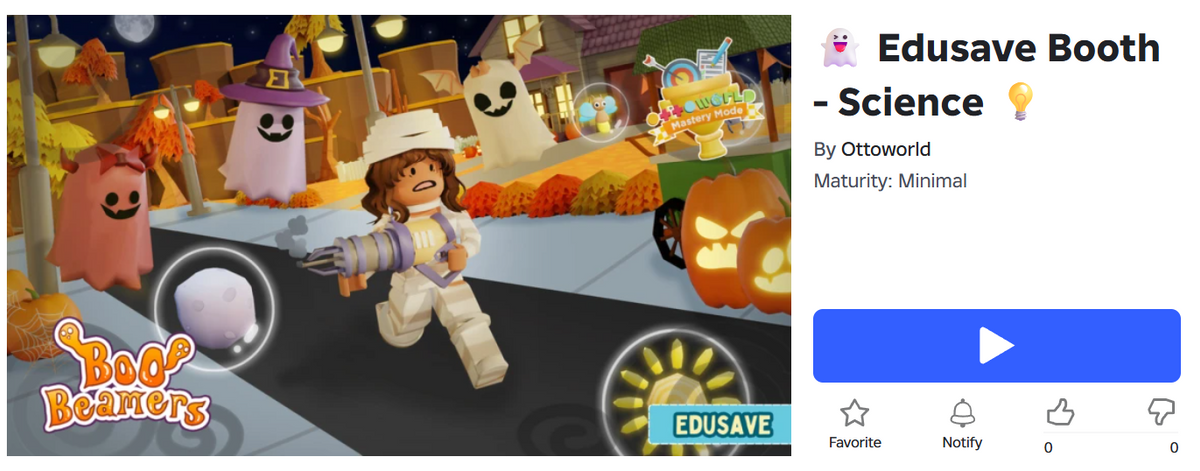
Play here: Boo Beamers on Roblox
MOE topic: Light sources is one of those P3 Science topics under the MOE syllabus that seems straightforward on paper, until your child has to distinguish real light sources from objects that merely reflect light. That's where a lot of students slip up on assessments.
Boo Beamers is a free Roblox game by Ottodot that makes this distinction the core mechanic. Your child collects different light source ammo to load their light gun and has to actively avoid fake light sources, which will stun them. The only way to progress and defeat ghosts is to correctly identify what counts as a real light source and what doesn't. Earn stars, climb the leaderboard, and reinforce the concept without a single worksheet in sight.
It's a genuinely clever way to drill a concept that usually requires rote memorisation, wrapped inside a Halloween-themed shooter your child will actually ask to play again.
Best for: P4 students who disengage from revision because it feels repetitive, or who are still giving descriptive answers when the question is asking for explanations.
The free browser games (no Roblox needed)
These two games run in your browser. No download, no app, no account.
Crystal Blasters (Primary 1 Math)

Play here: Crystal Blasters
MOE topic: Counting, reading, and understanding numbers up to 100 is one of the foundational topics in the MOE P1 and P2 Math syllabus. It sounds simple, but building genuine number sense at this stage sets the groundwork for everything that comes after.
Crystal Blasters is a free browser game by Ottodot with a Space Invaders-style twist. Your child pilots a spaceship and blasts incoming targets by recognising and responding to numbers up to 100. The arcade format keeps the pace up, which means more reps in less time, and the pressure of incoming waves makes the thinking feel urgent rather than rote. No app download, no Roblox account needed. Just open the link and play.
Best for: P1 students who need to build number confidence, or who resist worksheets.
Addition and subtraction within 100 (Primary 1 Math)
Play here: Addition & Subtraction Minigame
MOE topic: Addition is one of the first big hurdles in the MOE P1 and P2 Math syllabus, and it's not just about getting the answer right. Understanding the difference between addition without renaming, addition with renaming, and addition of 3 numbers are three distinct skills that build on each other, and a lot of young learners get tripped up when they jump between them.
Mini Game by Ottodot lets your child pick exactly which type of addition they need to work on, then drills it in a fast-paced game format. The topic selection means parents can target a specific weak spot rather than just throwing general practice at the wall. No download needed. Open the link, pick a topic, and play.
Best for: P1 students who are still counting on their fingers for two-digit sums.
How to use free games alongside school
A few things that actually work:
Try them as a five-minute warm-up before homework. A game on the same topic primes your child's brain before they open their worksheet. You will probably notice fewer complaints about getting started.
Use them after a difficult school day. If your child comes home stuck on a Science concept, a game on that topic gives them a second exposure with lower stakes.
Pay attention when they keep failing the same level. That tells you something a worksheet result often does not: where exactly the understanding breaks down, without the emotion of a marked paper.
Do not mandate it. The games work because children choose to play them. Turning it into compulsory screen time defeats the point. Show them the game, step back, and let them decide.
More free resources at the Ottodot resource hub
These five games are just a starting point. Ottodot's resource hub at resource-hub.ottodot.com has a full library of free Math and Science games, interactive activities, and practice tools from P1 to P6.
Browse free, no sign-up needed. The hub is organised by level and subject.
What structured learning looks like

Free games build habits and familiarity. For students who need systematic progress through the full MOE syllabus, Ottodot's live classes combine Roblox gameplay with instructor-led teaching and structured homework.
If your child picked up one of the games above and kept going back to it, that tells you something about how they learn.
Frequently asked questions
Does my child need a Roblox account to play the Roblox games? Yes, Roblox requires a free account. Setup takes about two minutes. Children under 13 need a parent to create the account.
Are the browser games safe for young children? Yes. Crystal Blasters and the Addition and Subtraction Minigame are browser-based with no account required and no external links or ads.
Which game should I start with? Match the game to your child's level. For P1, start with Crystal Blasters. For P3, try Math Raider for Math or Electric Clouds for Science.
Are these the same games used in Ottodot's classes? Some are. Ottodot's classes draw from a broader library, but the free games are built to the same MOE-aligned standards. They give you a real sense of how Ottodot teaches.
*For the full library of free interactive resources from P1 to P6, visit resource-hub.ottodot.com. Browse free, no sign-up needed.*